Upgrading your PC can be an exciting way to boost performance, extend its lifespan, and tailor it to your evolving needs. Whether you’re a casual user aiming for smoother multitasking or a professional looking to enhance productivity, a well-planned upgrade can make a significant difference. However, the process can also be intimidating if you’re unsure about the technical details or worried about causing damage. The key to upgrading your PC without breaking it lies in careful preparation, informed choices, and a steady hand — but more importantly, in understanding your system’s unique requirements and limitations.
When you first decide to upgrade, it’s essential to start with a clear sense of what you want to achieve. Maybe your computer feels sluggish when handling everyday tasks, or perhaps you want to dive into graphic-intensive gaming or video editing. Defining your goals will guide which components deserve your focus, whether it’s adding more RAM, swapping out the storage drive, upgrading the graphics card, or even improving the cooling system. Each upgrade offers different benefits and challenges, so being purposeful prevents unnecessary expense and frustration.
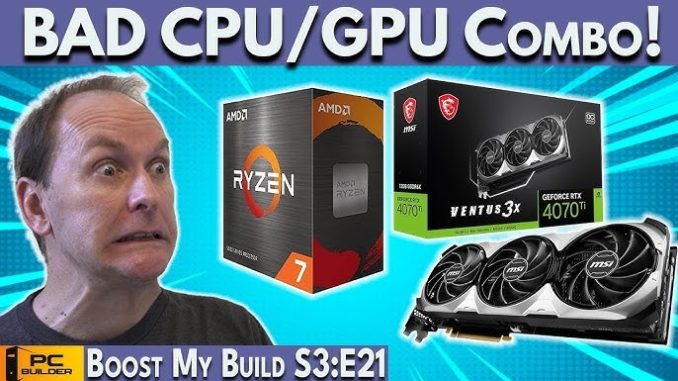
One of the most common pitfalls people encounter is jumping straight into buying parts without verifying compatibility. PCs are complex machines where each component must work harmoniously with the others. For example, if you plan to upgrade your RAM, it’s crucial to check what type and speed your motherboard supports. Installing incompatible RAM can cause your system not to boot or result in instability. Similarly, when considering a new graphics card, you need to ensure your power supply can handle the increased load and that your case has enough physical space. Simple online tools and manufacturer websites provide detailed specifications to help you avoid these costly mistakes.
Safety is paramount when opening up your computer. Many users underestimate the risk of static electricity, which can irreparably damage sensitive internal components. Grounding yourself by touching a metal surface or using an anti-static wrist strap helps discharge static buildup before you handle parts. Additionally, working on a clean, well-lit surface without carpet or clutter reduces the chance of accidental damage. Taking your time, organizing screws and small pieces carefully, and consulting manuals or trusted online guides transforms what can feel like a daunting task into an achievable project.
Another factor that contributes to a smooth upgrade is backing up your data beforehand. Regardless of how confident you feel, unforeseen issues can arise, from hardware conflicts to accidental file deletion. Having a reliable backup ensures your important documents, photos, and projects remain safe, even if the upgrade process requires reinstalling your operating system or troubleshooting unexpected errors.
When it comes to the actual upgrade, some components are easier to handle than others. Adding RAM or replacing a hard drive typically involves fewer steps, making them ideal starting points for beginners. For instance, swapping a traditional hard drive for a faster solid-state drive (SSD) can dramatically improve boot times and application loading without requiring deep technical expertise. Meanwhile, upgrading a graphics card or CPU often demands more knowledge about system cooling, BIOS settings, or power management, so it may be worth consulting a professional or investing additional time in research.
Once the new components are installed, don’t rush to close up your PC case. Powering on your system and running initial tests before sealing it can save headaches if something isn’t connected correctly or if a part is malfunctioning. Most motherboards have diagnostic LEDs or beeps that help identify issues during startup. Furthermore, once the system boots, checking that the operating system recognizes the new hardware is crucial. For example, after installing extra RAM, verifying it’s visible in your system settings confirms a successful upgrade.
Upgrading your PC isn’t just about hardware. Updating drivers and firmware is equally important to ensure optimal performance and stability. Manufacturers regularly release updates that fix bugs or enhance compatibility with new components. Taking a moment to download the latest drivers from official sources helps avoid conflicts that might cause crashes or slowdowns. This step also applies to software utilities that come with your hardware, such as GPU management tools or motherboard tuning programs.
A thoughtful upgrade plan considers the long-term implications as well. Investing in high-quality parts with solid warranties provides peace of mind and durability. It’s tempting to opt for the cheapest option, but this can lead to frequent replacements or underwhelming performance. For example, power supplies with poor efficiency or inadequate wattage might save money upfront but risk damaging other components or causing system instability. Similarly, well-reviewed RAM kits or SSDs may cost a bit more but often deliver better reliability and speed.
Finally, remember that upgrading a PC is not an all-or-nothing endeavor. Sometimes, incremental improvements spread over time offer better value than a single massive overhaul. Adding more memory today and upgrading the graphics card six months later can keep your system running smoothly without overwhelming your budget or your confidence. This approach also gives you time to learn and grow comfortable with the technical aspects, turning each upgrade into a rewarding experience rather than a stressful challenge.
In essence, upgrading your PC without breaking it is about balancing ambition with caution, preparation with flexibility, and knowledge with patience. By clearly defining your goals, verifying compatibility, taking safety precautions, and validating your changes, you create a strong foundation for success. The satisfaction that comes from breathing new life into your computer with your own hands is well worth the effort. With the right mindset and approach, what may seem like a complicated task becomes an opportunity to deepen your understanding of technology and empower your digital life. Whether for work, creativity, or play, a thoughtfully upgraded PC stands ready to meet your needs — without breaking the bank or your peace of mind.